










USB-C KVM Docking Station Dual 4K 60Hz
$701.61 inc. gst
- DUAL-LAPTOP KVM DOCK: Dock and Switch between two laptops at your desk / workstation and share dual 4K 60Hz monitors, keyboard, mouse and other USB peripherals; Switch between two laptops using a toggle button located on the front of the docking station
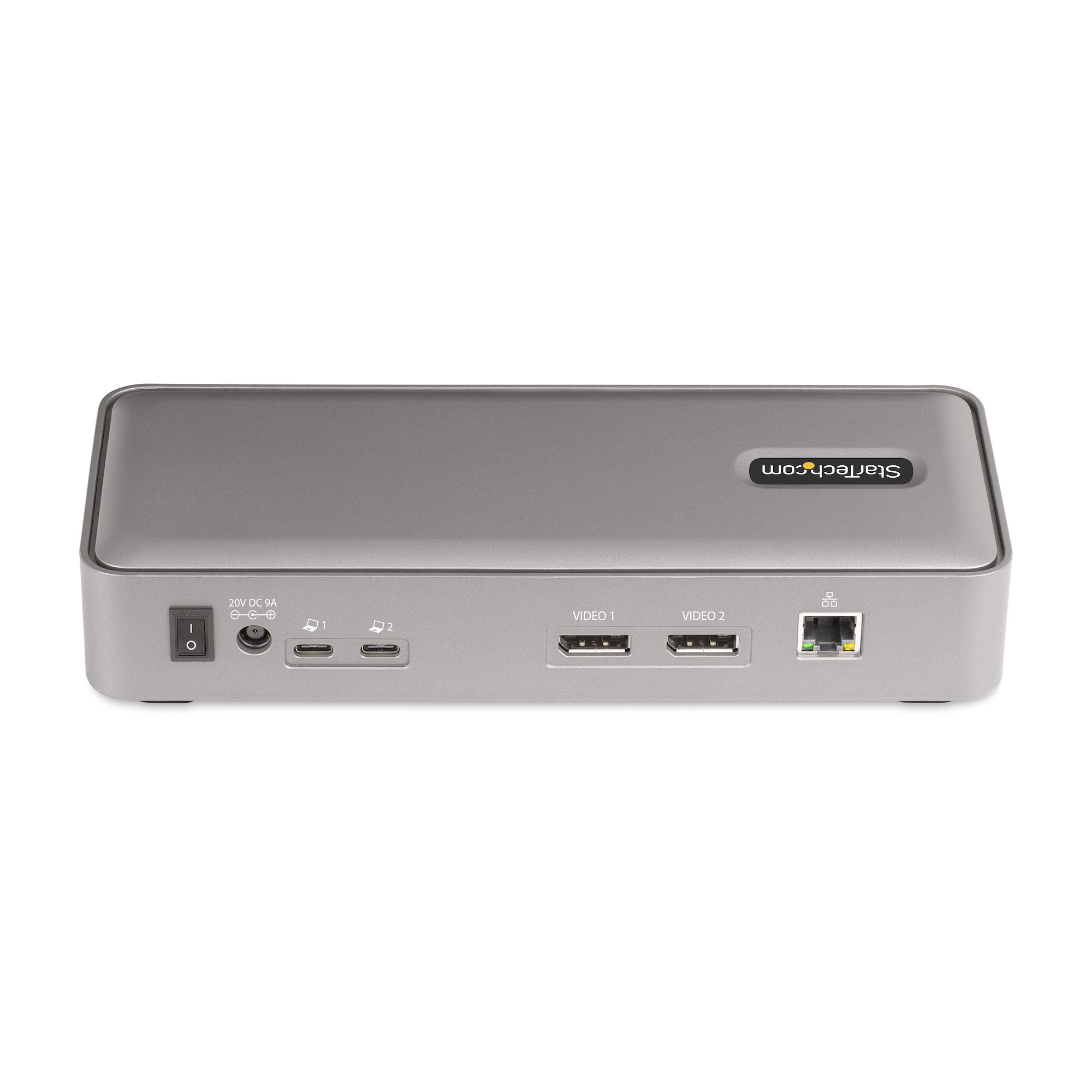
- SIMULTANEOUSLY CHARGE TWO LAPTOPS: USB-C KVM docking station charges both connected laptops over USB-C (PD 3.0); The included 180W power adapter automatically provides 90W of power to the active host and 45W of power to the host on standby
- COMPATIBILITY: Dual-Host KVM Dock supports mixed OS, Windows, macOS, ChromeOS, Linux; Works w/ Intel, AMD and the Apple M-Series, enabling two external displays even on laptops that natively only support one; Driver installation required on Windows/macOS
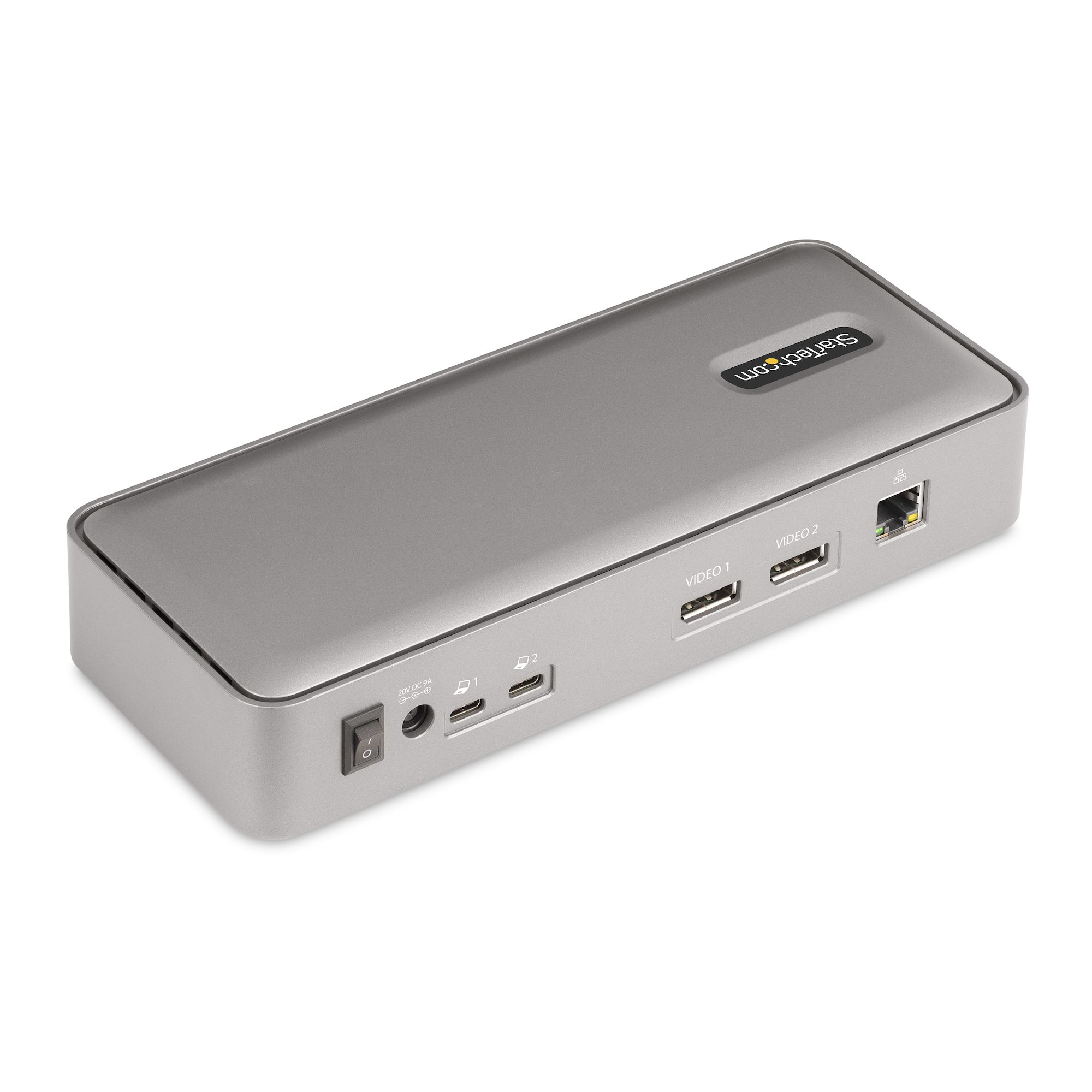
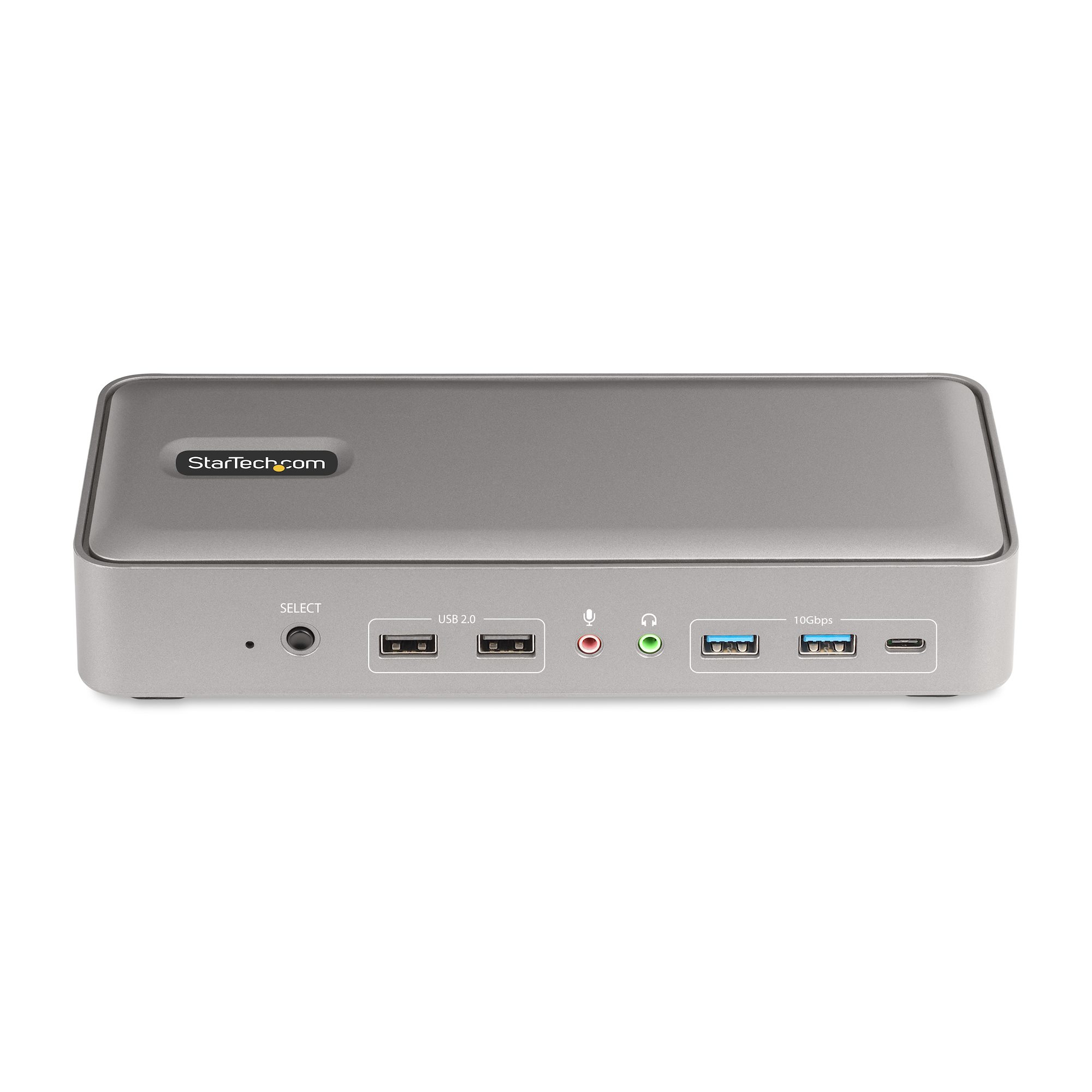
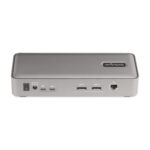
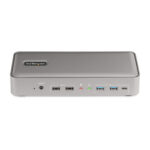
- CONNECTIVITY: The dock features a variety of ports for device connectivity; 2x USB 2.0 Type-A HID, 2x USB-A (10Gbps), USB-C (10Gbps), 2x DisplayPort, 2x USB-C host ports, Gigabit Ethernet, 3.5mm stereo audio, 3.5mm mic, 2x K-Slots (Standard/Nano)
- OUR ADVANTAGE: Included connectivity tools for IT Pro's and IT help-desk support teams with Network MAC Address Pass-Through for network security, WiFi Auto Switching for improved network performance, USB Event Monitoring, and Windows Layout
| Brand | StarTech.com |
|---|---|
| MPN | 129N-USBC-KVM-DOCK |
| Subcategory | Switching Devices |
| Category detail | KVM Switches & Components |
| Product family | StarTech.com Connectivity Devices Switchi |
5 in stock
Description
Share a dual 4K 60Hz workstation between two laptop computers through a USB Type-C connection
Dock and Switch between two laptops to access your workstation peripherals including dual monitors, seamlessly switching between laptop computers with the push of a button. The downloadable Hot-Key software (available for Windows and macOS), enables users to switch between computers using key combinations from a keyboard.
DisplayLink Certified
The Dock is DisplayLink Certified, for Plug and Display compatibility with Windows, ChromeOS, and macOS, enabling operation and switching between multiple computers with different operating systems. DisplayLink technology also supports extended dual displays on base Apple M-Series MacBooks, which are not natively capable of driving more than one external display. The DisplayLink Certification ensures support for resolutions up to 4K 60Hz on both external displays.
Simultaneously Charge Two Laptops
The KVM Dock supports Power Delivery (PD) 3.0 and charges both connected computers over USB-C. The Dock supplies 90W of power to the active host computer and 45W of power to the second PC, ensuring both laptops can charge simultaneously.
Full-Featured Docking Station
Connect two USB-C computers to this Dock to access a wide range of port connectivity, options and features. The Dock features:
• 2x DisplayPort ports for dual display output with support for resolutions up to dual 4K 60Hz.
• 2x USB-A (USB 2.0 480Mbps) HID ports for USB devices, such as a keyboard and mouse.
• 2x USB-A and 1x USB-C (USB 3.2 Gen 2 10Gbps) ports for connecting high speed USB peripherals, such as SSD storage.
• 1x Gigabit Ethernet port with WoL (Wake-on-LAN) for a wired Local Area Network (LAN) connection.
• 1x 3.5mm 3-position TRRS jack for stereo audio output.
• 1x 3.5mm 2-position microphone jack for mono audio input.
• 2x K-Slots (regular/nano) to tether the Dock with a cable lock (sold separately) for security.
The Dock features a mounting pattern so it can be mounted when paired with StarTech.com mounting accessories (sold separately). Our mounting accessories enable mounting to the VESA pattern on the back of a monitor or to any flat surface. The following mounts are compatible with this product:
• SSPMSUDWM – Dock Surface Mount
• SSPMSVESA – Dock VESA Mount
Enhance Productivity and Device Management with the StarTech.com Connectivity Tools Application
Developed to improve performance and security, StarTech.com Connectivity Tools is the only software suite on the market that works with a wide range of IT connectivity accessories. The software suite includes:
• Advanced Windows Layout Utility : Setup and save custom windows layouts.
• Mac Address Pass-Through Utility : Improve network security.
• USB Event Monitoring Utility : Track and log connected USB devices.
• Wi-Fi Auto Switch Utility : Enable users to quickly access faster network speeds via wired LAN.
For more information and to download the StarTech.com Connectivity Tools application, please visit: www.StarTech.com/Connectivity-Tools
Note: The StarTechLink software is not compatible with Linux; however, the base hardware KVM functionality is supported. Linux users will not have access to the following software features:
• Set Laptop Screen Location for Mouse Cursor/Keyboard Edge Scrolling.
• Switch UFP (Upstream Facing Port).
• Ctrl-Alt-Del Functionality.
• Change Hot-Key for Switching.
• KM Master for Mouse Cursor/Keyboard Edge Scrolling.
Key features
- DUAL-LAPTOP KVM DOCK: Dock and Switch between two laptops at your desk / workstation and share dual 4K 60Hz monitors, keyboard, mouse and other USB peripherals; Switch between two laptops using a toggle button located on the front of the docking station
- SIMULTANEOUSLY CHARGE TWO LAPTOPS: USB-C KVM docking station charges both connected laptops over USB-C (PD 3.0); The included 180W power adapter automatically provides 90W of power to the active host and 45W of power to the host on standby
- COMPATIBILITY: Dual-Host KVM Dock supports mixed OS, Windows, macOS, ChromeOS, Linux; Works w/ Intel, AMD and the Apple M-Series, enabling two external displays even on laptops that natively only support one; Driver installation required on Windows/macOS
- CONNECTIVITY: The dock features a variety of ports for device connectivity; 2x USB 2.0 Type-A HID, 2x USB-A (10Gbps), USB-C (10Gbps), 2x DisplayPort, 2x USB-C host ports, Gigabit Ethernet, 3.5mm stereo audio, 3.5mm mic, 2x K-Slots (Standard/Nano)
- OUR ADVANTAGE: Included connectivity tools for IT Pro's and IT help-desk support teams with Network MAC Address Pass-Through for network security, WiFi Auto Switching for improved network performance, USB Event Monitoring, and Windows Layout
- Wired
- Host interface: USB 3.2 Gen 2 (3.1 Gen 2) Type-C
- USB Power Delivery (USB PD)
- Ethernet LAN 10,100,1000 Mbit/s
- Full duplex
- Cable lock slot
Specifications
| Ports & interfaces | |
|---|---|
| Connectivity technology | Wired |
| Host interface | USB 3.2 Gen 2 (3.1 Gen 2) Type-C |
| USB 2.0 ports quantity | 2 |
| USB 3.2 Gen 1 (3.1 Gen 1) Type-A ports quantity | 9 |
| USB 3.2 Gen 2 (3.1 Gen 2) Type-A ports quantity | 2 |
| USB 3.2 Gen 2 (3.1 Gen 2) Type-C ports quantity | 1 |
| USB Power Delivery (USB PD) | Yes |
| USB Power Delivery revision | 3.0 |
| USB Power Delivery up to | 90 W |
| DisplayPorts quantity | 2 |
| DisplayPort version | 1.4 |
| Microphone in | Yes |
| Headphone outputs | 1 |
| Headphone connectivity | 3.5 mm |
| Network | |
| Ethernet LAN | Yes |
| Ethernet LAN (RJ-45) ports | 1 |
| Ethernet LAN data rates | 10,100,1000 Mbit/s |
| Networking standards | IEEE 802.3, IEEE 802.3ab, IEEE 802.3u |
| Full duplex | Yes |
| Performance | |
| Card reader integrated | No |
| Data transfer rate | 10 Gbit/s |
| Maximum digital resolution | 4096 x 2160 pixels |
| Number of displays supported | 2 |
| Maximum refresh rate | 60 Hz |
| Cable lock slot | Yes |
| Cable lock slot type | Kensington |
| Product colour | Silver |
| On/off switch | Yes |
| LED indicators | LAN, Power |
| UASP support | Yes |
| Housing material | Plastic |
| Power | |
| Power source type | DC |
| AC input voltage | 100 – 240 V |
| Input current | 2.4 A |
| Output voltage | 20 V |
| Output current | 9 A |
| Power consumption (typical) | 180 W |
| Compatible power plug types | AU, JP, US |
| Software | |
| Windows operating systems supported | Windows 10 Education, Windows 10 Education x64, Windows 10 Enterprise, Windows 10 Enterprise x64, Windows 10 Home, Windows 10 Home x64, Windows 10 IOT Core, Windows 10 IoT Enterprise, Windows 10 Pro, Windows 10 Pro x64, Windows 10 x64, Windows 11, Windows 11 x64 |
| Mac operating systems supported | Mac OS X 10.15 Catalina, Mac OS X 11.0 Big Sur, Mac OS X 12.0 Monterey, Mac OS X 13.0 Ventura |
| Linux operating systems supported | Ubuntu 18.04 LTS, Ubuntu 20.04 LTS, Ubuntu 22.04 |
| Other operating systems supported | ChromeOS |
| Operational conditions | |
| Operating temperature (T-T) | -10 – 45 °C |
| Storage temperature (T-T) | -20 – 60 °C |
| Operating relative humidity (H-H) | 0 – 90% |
| Sustainability | |
| Sustainability compliance | Yes |
| Weight & dimensions | |
| Width | 90 mm |
| Depth | 224 mm |
| Height | 40 mm |
| Weight | 402 g |
| Packaging data | |
| Package width | 283 mm |
| Package depth | 163 mm |
| Package height | 102 mm |
| Packaging content | |
| Cables included | USB Type-C |
| AC adapter included | Yes |
| Quick start guide | Yes |
| Technical details | |
| Compliance certificates | RoHS |
| Other features | |
| Chipset | DisplayLink – DL6950, Genesys Logic – GL3590, Genesys Logic – GL9510, Parade – PS186, Realtek – RTL8211F |
Additional product details
StarTech.com Dual-Laptop USB-C KVM Docking Station, Dual Monitor 4K 60Hz DisplayPort Dock, 5x USB Hub, GbE, 90W/45W PD, Windows/Mac, TAA – Dual-Laptop KVM Dock switches between 2 USB Type-C hosts w/ toggle button – Charge 2 laptops (90W to active, 45W to standby PC) – Dual Monitor 4K 60Hz including on base M-Series MacBook Pro/Air – 5x USB Hub & GbE – Windows/Mac/Chrome (mixed OS)
Reviews (0)
You must be logged in to post a review.
Shipping & Delivery
Related products

StarTech.com 2-Port DisplayPort Dual-Monitor KVM Switch – 4K 60Hz – TAA
SKU:
3587844
$752.85 inc. gst
New
Reviews
There are no reviews yet.